
Creating featured collections
This is the same process as Creating a public collection but with an extra step to turn it into a featured collection (see step 4).
Create or Select a private collection
Edit the collection
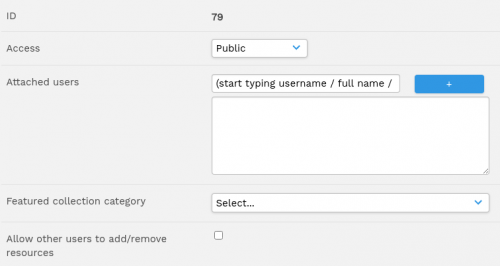
Beside 'Access' choose 'Public' from the dropdown menu
Select the featured collection category that the collection belongs to. If there is no appropriate category, navigate to featured collections page (pages/collections_featured.php) and click on the "Add" tile (the tile with a plus on it).
Click Save
Remove a featured collection by clearing / emptying the value in step 4
If Dissemino is configured with simple view mode, featured collections can be created by clicking on the new "Add" tile.
From version 2.3 once you have created your featured collection, you will be able to either upload directly into it or create another featured collection within it, all from the featured collections page.