
22.09.21
Creating public collections
Public Collections are an easy way to share groups of resources with other users in the system. They are simple to set up and are a good way for users to highlight the best of their uploads so that administrators can then promote them as Featured collections.
Create a public collection
Select an existing collection and go to its Edit page.
Change the "Access" field to public.
Select whether you wish to give users edit access to this collection
Hit Save
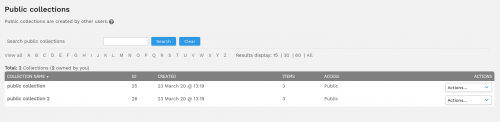
Your collection will now show up under public collections and can be used as a featured collection by following the Creating featured collections instructions.
Sharing collections
You may also wish to just share your collection with others, see Sharing resources for instructions.
No luck what you're looking for?
Let us know details about your quesiton. We'll get back to you!